
Preparing for an Appointment
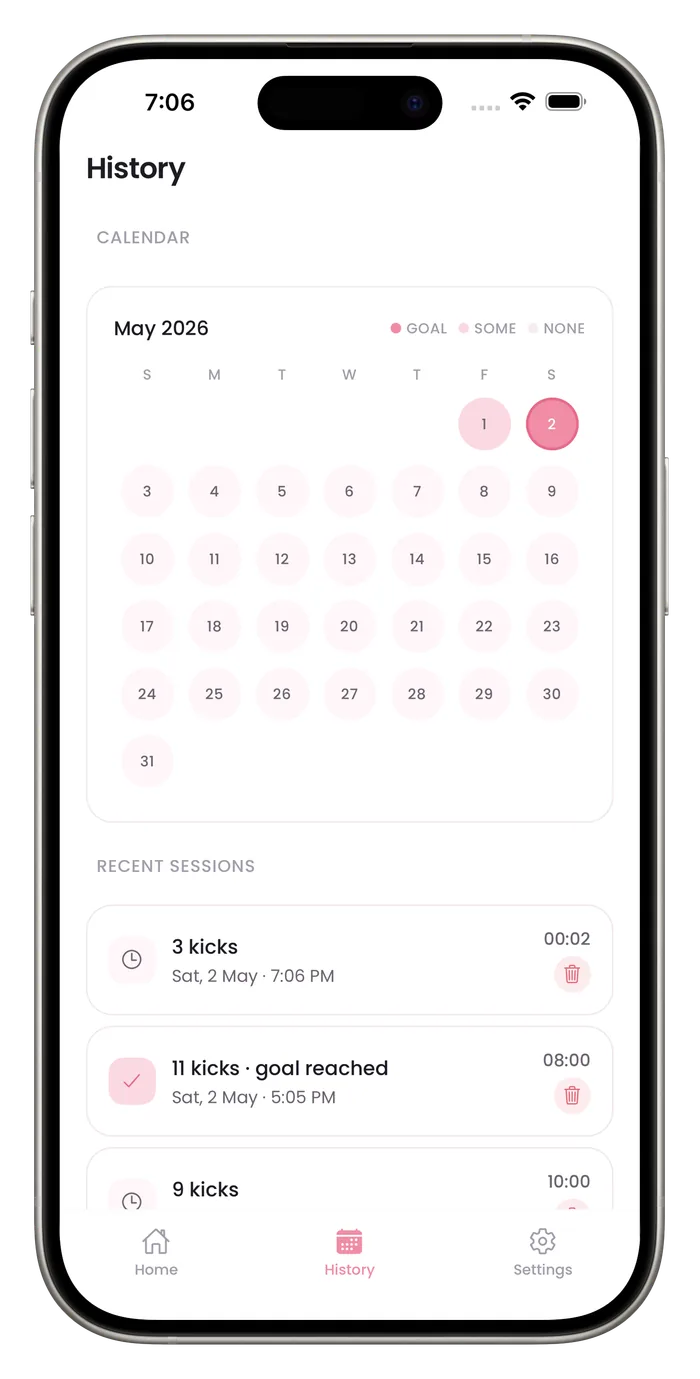
How has the baby been moving is easier to answer with a record than from memory. Open History to show your recent sessions, the calendar of this month and the 7-day chart, and bring a few questions about counting for your midwife or doctor.

What to bring and ask
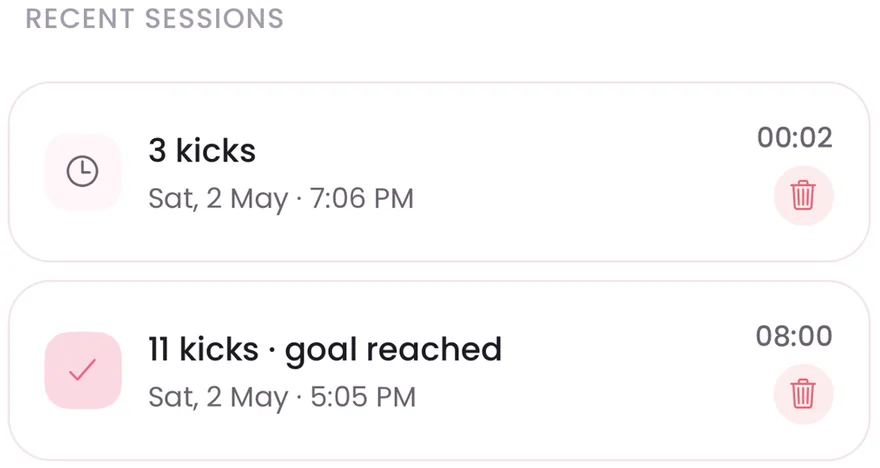
Your recent sessions
The list shows the kick count, date, time and length of your 8 most recent sessions.
A month at a glance
The calendar shows how consistently you counted, not only single days.
A question about method
Ask: how should I count, and when should I start or stop?
A question about next steps
Ask: what count or change in pattern means I should call you, and how do I reach you out of hours?
Questions about this
Can I export my history?
A Pro subscription adds a PDF export of your sessions. You can also show History on your phone.
Will my provider expect me to use an app?
Not necessarily. Ask what they prefer. Some people use paper charts, and a log you keep consistently is more useful than a perfect one you abandon.
Start a daily record today.
Bumpi Kicks keeps a simple log of your kick counts that you can look back on and show your care team.
Free to download. Counting needs a Pro subscription, and the App Store paywall shows the price and any free trial before you pay.