
Session History
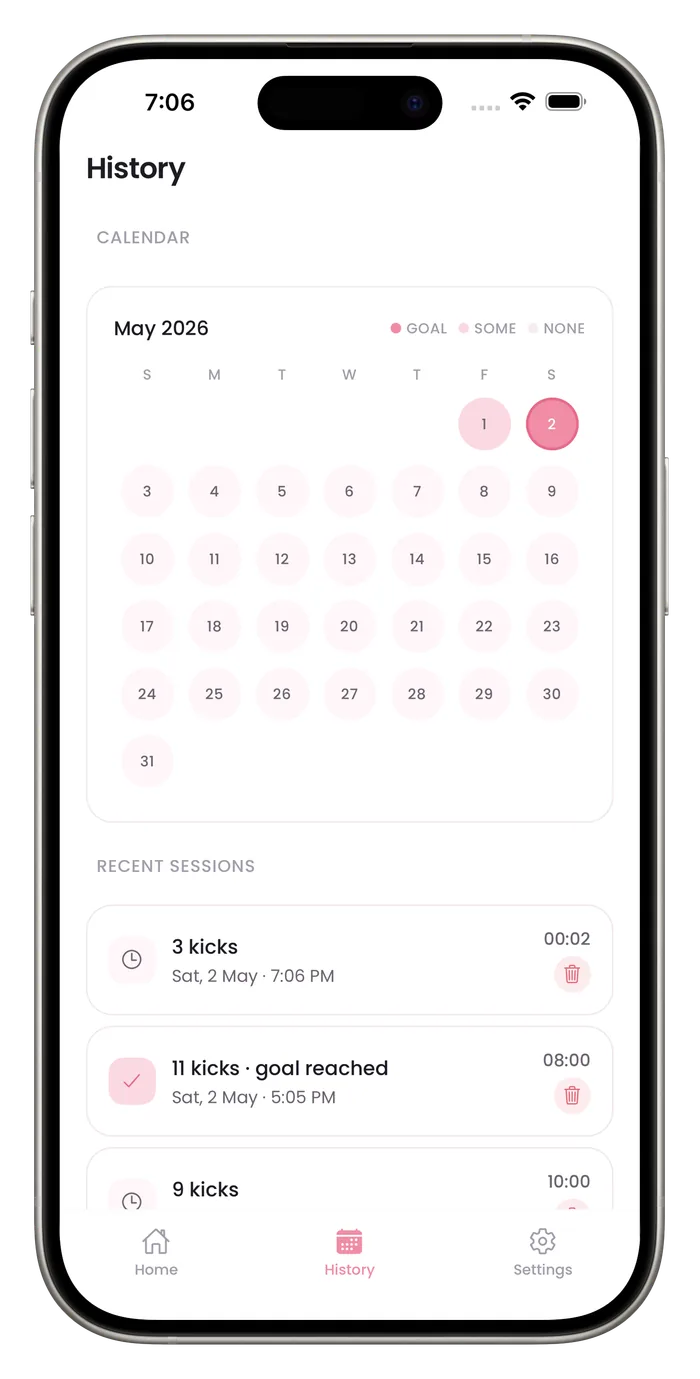
Your 8 most recent saved sessions appear in a list under History with their kick count, date, time and length, and sessions that reached your goal are marked. You can delete one you logged by mistake. Older sessions still count in the totals, and a Pro subscription adds a PDF export of your sessions that you can share with your care team.

What each session records
Your 8 most recent sessions
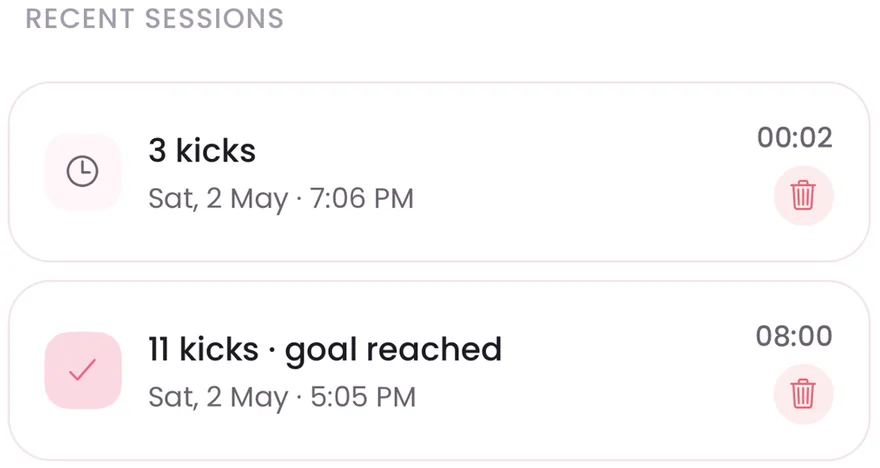
Kick count, date, time and length for each of the 8 most recent sessions, newest first. Older sessions still count in the totals and the PDF.
Goal reached is marked
Sessions that reached your goal carry a check mark and the words goal reached.
Delete a session
Tap the trash icon on one of the 8 listed sessions to remove it, for example one you saved by accident. Clear kick history in Settings removes all of them at once.
PDF export with Pro
A Pro subscription lets you export your sessions as a PDF report to share.
Questions about this feature
Can I show my history to my provider?
Yes. You can open History on your phone, or export a PDF with a Pro subscription. Ask your provider what they want to see.
Can I delete a session?
Yes, for the 8 most recent sessions in the list: tap the trash icon next to one. Clear kick history in Settings removes every saved session at once.
Start a daily record today.
Bumpi Kicks keeps a simple log of your kick counts that you can look back on and show your care team.
Free to download. Counting needs a Pro subscription, and the App Store paywall shows the price and any free trial before you pay.