
Monthly Calendar
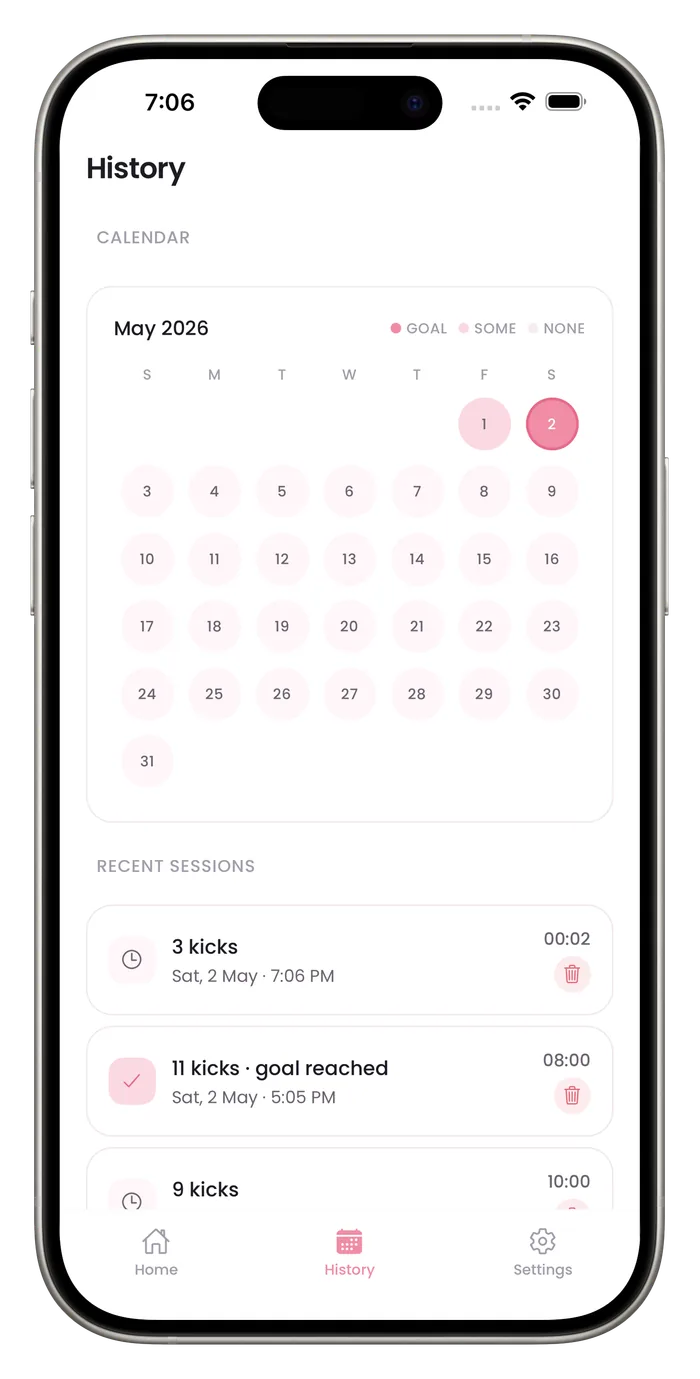
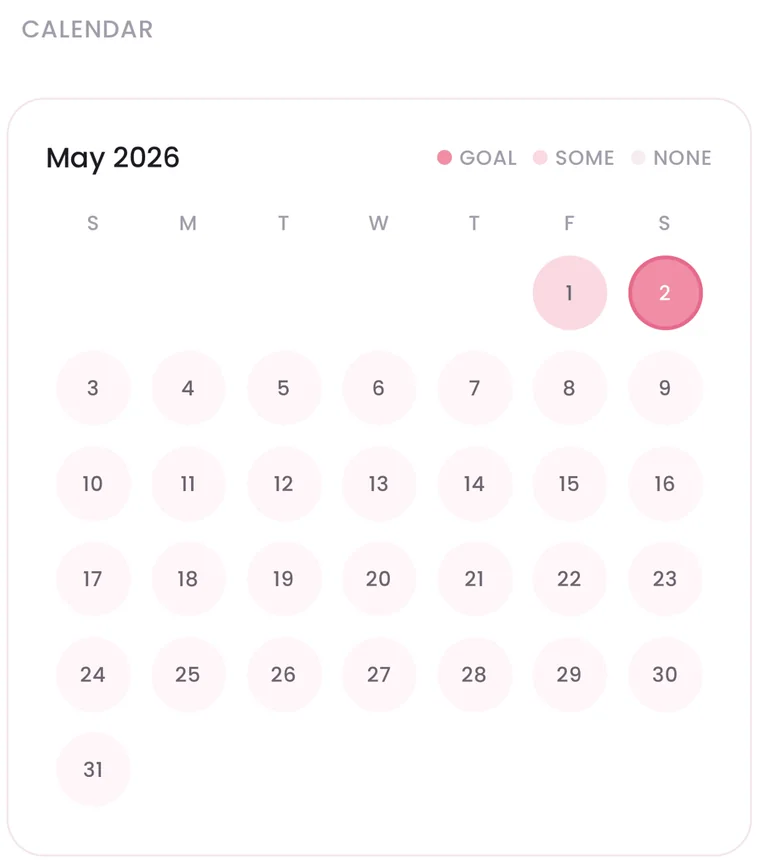
The calendar in History colors each day by what you logged: darker pink when that day's kicks added up to your goal, lighter pink when you counted some kicks, and plain when you logged nothing. A month at a glance shows whether counting has become a habit and where the gaps are.

How to read the calendar
Three states
Goal reached, some kicks, or none. A key at the top of the calendar names the colors.
A view of your habit
Gaps show the days you did not count, which helps if you are trying to count at the same time every day.
The current month
The calendar shows the month you're in, with today's sessions included.
A companion to the 7-day chart
The chart shows the last week as bars against your goal. The calendar shows the whole month, so you can see a recent run and the longer habit side by side.
Questions about this feature
What do the colors mean?
Darker pink marks a day whose kicks added up to your current goal or more, even across several sessions. Lighter pink marks a day with some kicks counted. A plain day has no saved session. The colors follow your current goal, so changing the goal can change past days.
Does a plain day mean something is wrong?
No. It only means no session was saved that day.
Can I see the details behind a day?
The sessions list on the same screen shows your 8 most recent sessions with their date, time, length and kick count. Older days show only as a color.
Start a daily record today.
Bumpi Kicks keeps a simple log of your kick counts that you can look back on and show your care team.
Free to download. Counting needs a Pro subscription, and the App Store paywall shows the price and any free trial before you pay.