
Your First Week of Counting
Your first week with Bumpi Kicks starts with setup, then a first counted session. Setup asks your first name, your due date and a few questions, and a subscription screen follows. The kick goal starts at 10, and Settings lets you change it to 8 or 12 and change or switch off the reminder.

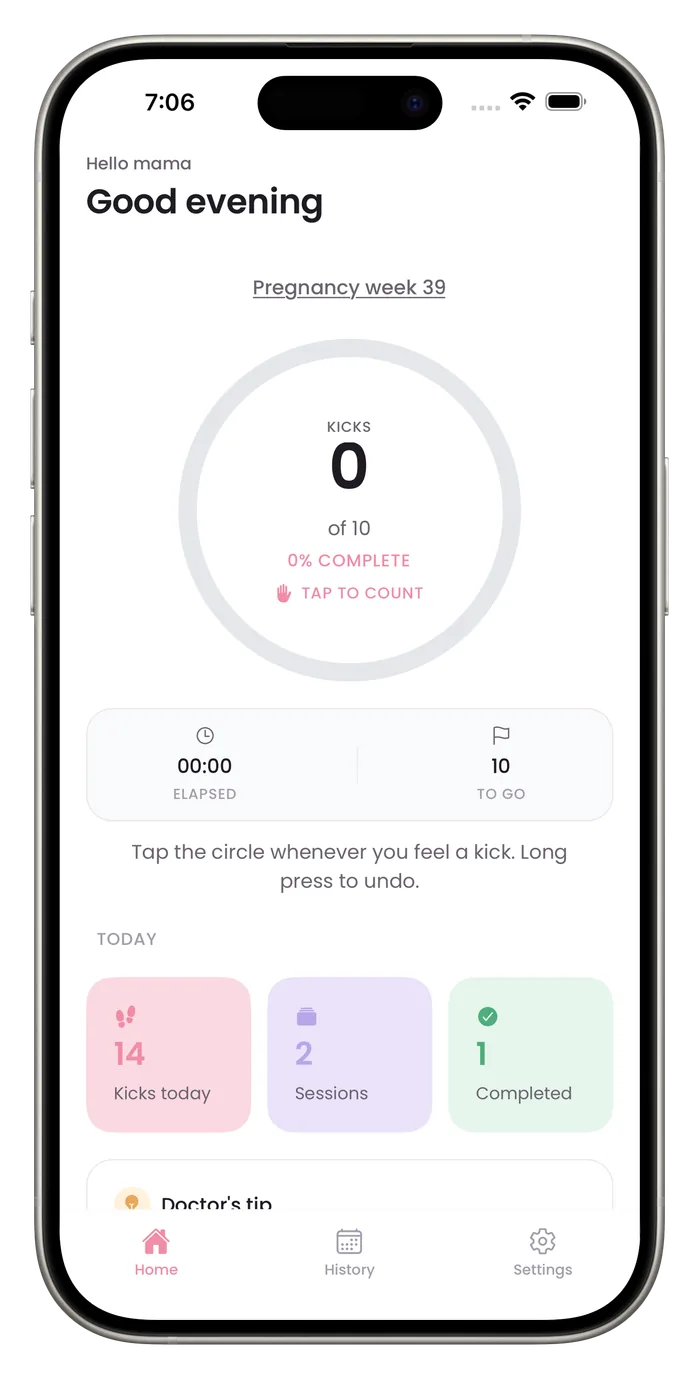

What to expect in the app
Nothing to create
There is no account or password. Setup asks for your first name and your due date, and a subscription screen follows.
Mistakes are easy to fix
A long press undoes a tap, and the trash icon in History deletes one of your 8 most recent saved sessions.
Your provider comes first
If your provider has told you how to count, follow that over any default in the app.
Your first week
- 1
Go through setup
Setup is 12 short screens. It asks your first name, why you are using the app and your due date, and lets you pick a reminder time. A subscription screen follows.
- 2
Check your goal
The kick goal starts at 10 per session. Settings offers 8 and 12 as well. Ask your provider which to use.
- 3
Count a first session
Tap the circle for each movement. Long press to undo a mistaken tap.
- 4
Let it save
Reaching your goal saves the session. Before that, tap Save to keep a shorter one. The session then appears in History.
- 5
Adjust the reminder
Settings can switch the daily reminder off or pick one of five times.
Questions about this
Do I need to set anything up before my first session?
Setup is 12 short screens. It asks your first name, why you are using the app and your due date, and a subscription screen follows. Counting needs a Pro subscription.
How do I know I am counting correctly?
Counting methods differ, so ask your provider. The how-to-count guide on this site covers common advice and cites its sources.
Start a daily record today.
Bumpi Kicks keeps a simple log of your kick counts that you can look back on and show your care team.
Free to download. Counting needs a Pro subscription, and the App Store paywall shows the price and any free trial before you pay.